
Updated Banner App Sign-In Experience Changing October 13
By Mica McGuire | October 09, 2026
October 13 Banner Login Experience Will Be Updated
Beginning the morning of Tuesday, October 13, TTUHSC users will notice a new login experience when accessing Banner-related services such as the WebRaider portal and Cognos.
What Is Changing?
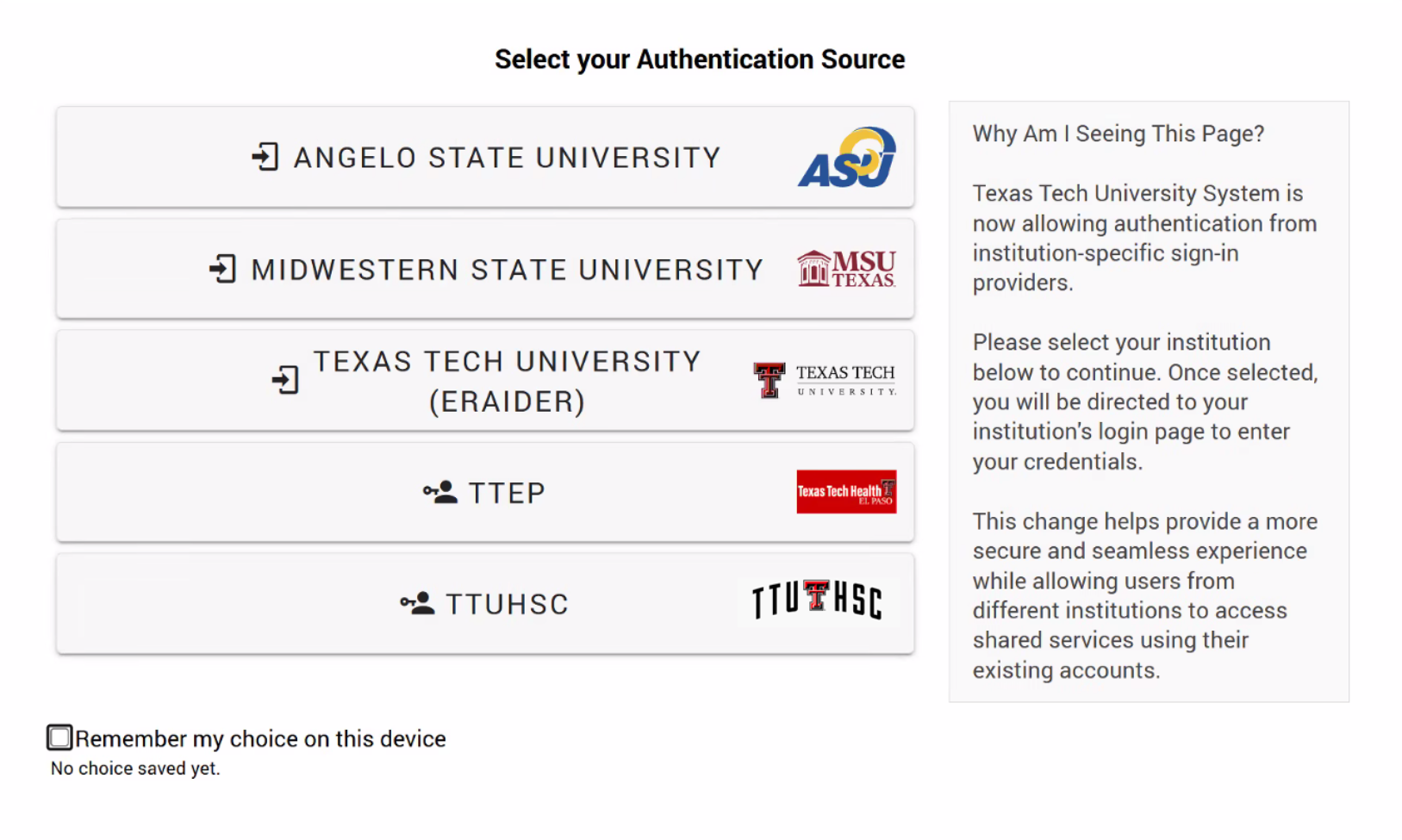
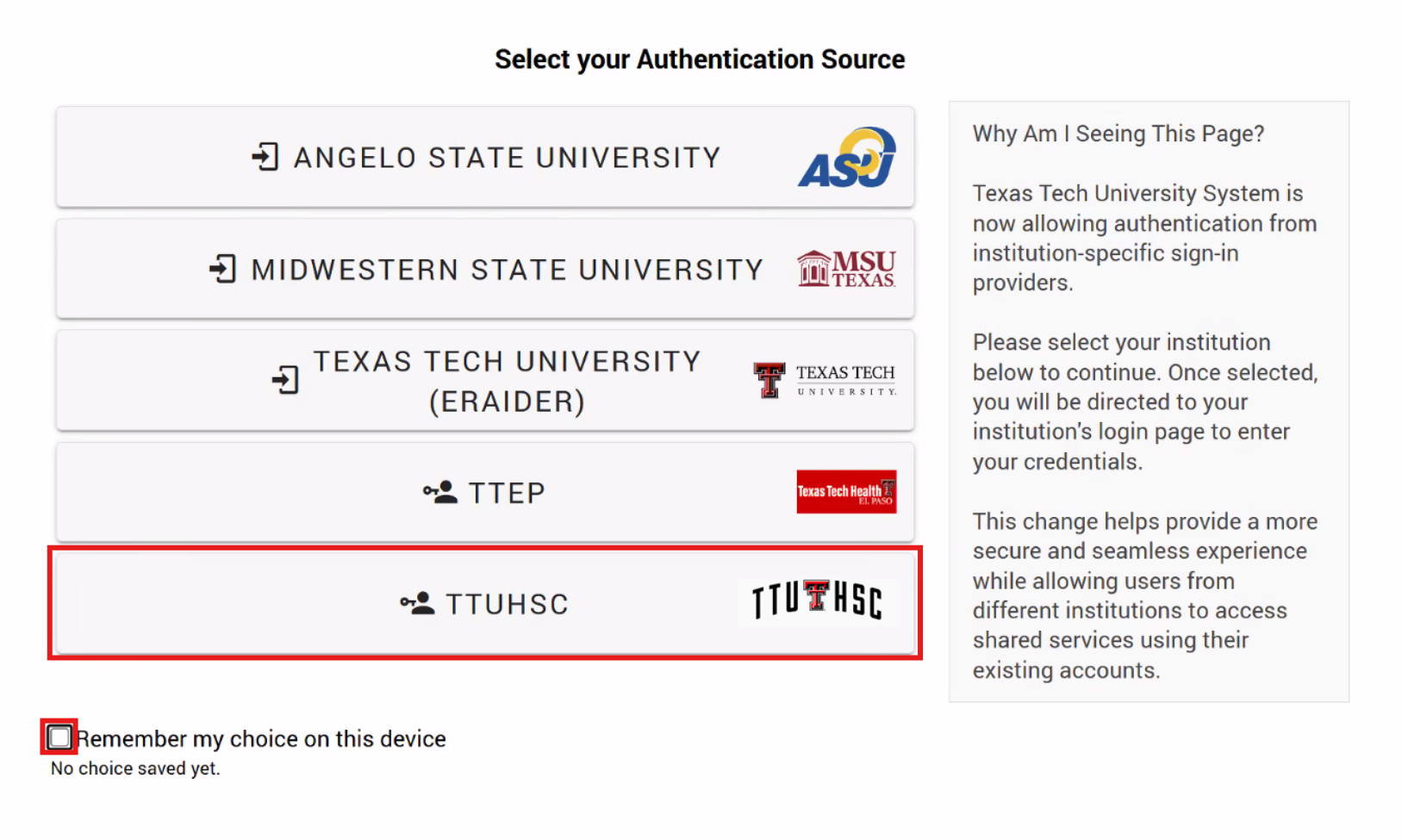
When accessing Banner sites, users will be presented with a new location selection page. On this page, choose TTUHSC as your organization.
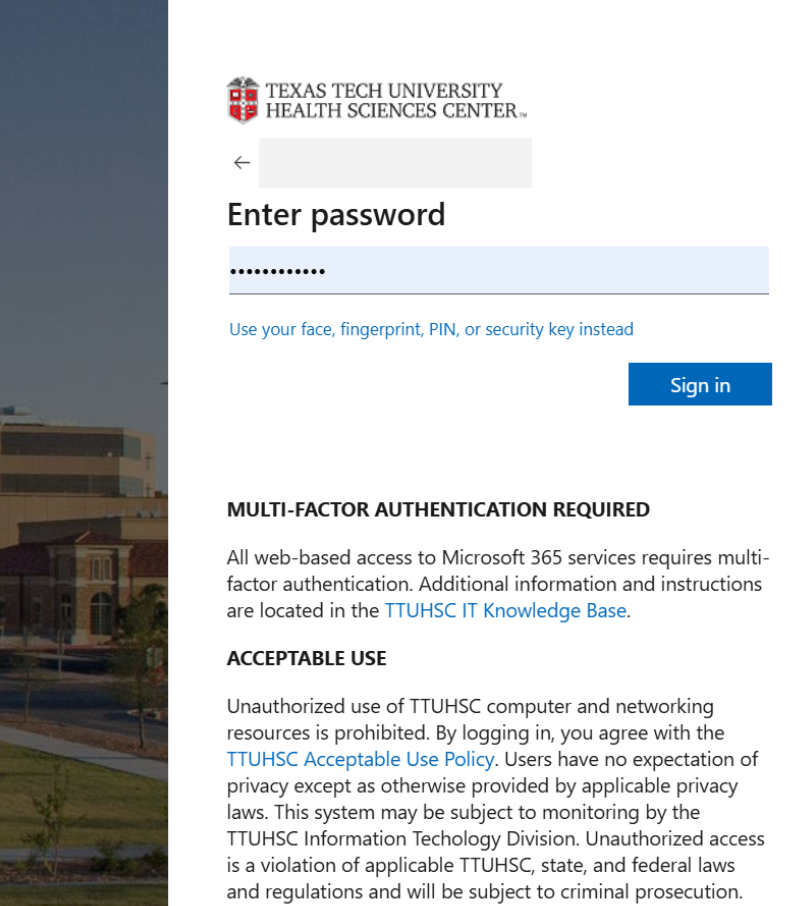
After selecting TTUHSC, you will be redirected to the familiar Microsoft sign-in page to authenticate with your TTUHSC account. Once authentication is complete, you will automatically be redirected back to the Banner service you were attempting to access.
Why Are We Making This Change?
This update aligns Banner authentication with TTUHSC's Microsoft identity platform. TTUHSC users can take advantage of modern authentication methods supported by Microsoft, including:
- Microsoft Authenticator app notifications
- YubiKey Security Key
This means users will no longer be limited to SMS-based multi-factor authentication (MFA) when accessing sites like the WebRaider portal and Cognos.
What You Need to Do
No action is required prior to the rollout. Beginning October 13:
- Access Banner services such as Portal or Cognos as usual.
- Select TTUHSC on the organization selection page.
- Optional: Select "Remember my choice on this device" to further streamline the process.
- Sign in with your TTUHSC Microsoft credentials.
- Complete MFA using your preferred Microsoft authentication method.
Questions?
If you experience issues signing in after the change is implemented, please contact the IT Solution Center for assistance.
Tags: Information technology, Banner
Recent Articles