
The Scope
Microsoft Copilot
By Mica McGuire | June 19, 2026

TTUHSC has Access to Microsoft 365 Copilot Chat
Jumpstart Your Learning: Training & Info Links
You don't need to be an AI expert to start using Copilot, but a little bit of practice
goes a long way. We have gathered the absolute best official resources to help you
master the art of "prompting" (asking AI questions).
- Step 1: Learn the Basics
Check out the TTUHSC Knowledge Base articles about Copilot to see what it looks like in our A5 M365 license: TTUHSC Knowledge Base - Microsoft Copilot
Check out Microsoft’s quick start guides to understand the capabilities of Copilot Chat: Read the Copilot Chat Quick Start Guide - Step 2: Take a Free Micro-Course
Want a structured introduction? This official, beginner-friendly learning path takes under 90 minutes and covers everything from basic navigation to drafting your very first prompts: Take the 'Get Started with Microsoft 365 Copilot' Training Path - Step 3: Try It Out!
Check out the Knowledge Base article: Where to find Copilot in the M365 Apps
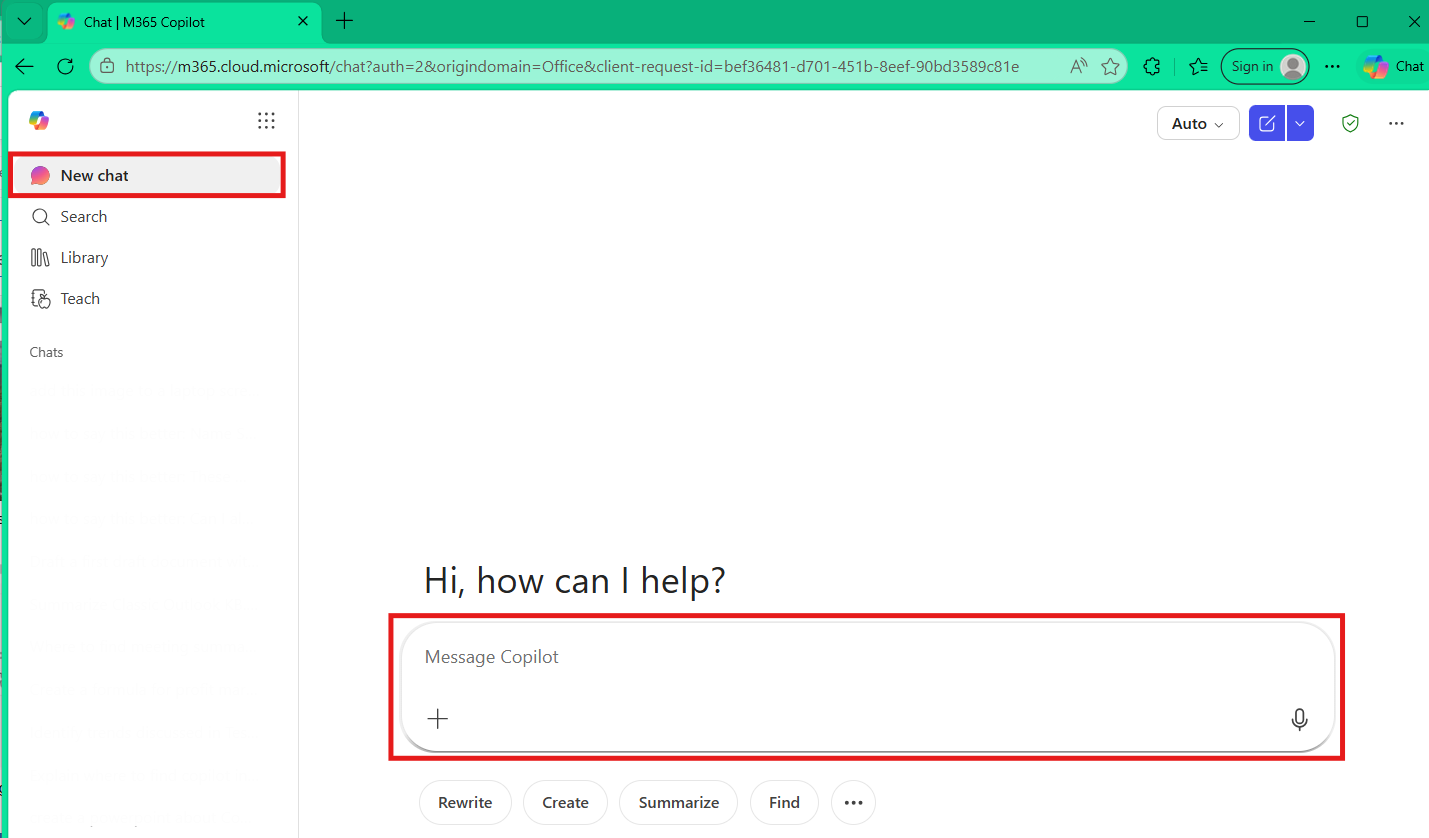
Or simply head over to your Offce.com, sign in with your TTUHSC credentials, and look for the New Chat tab in your sidebar.
----------
Have more IT questions? Head over to our Knowledge Base for quick solutions and guides on a variety of tech topics. You can also check out the ITSC's hours and location TTUHSC Knowledge Base - IT Solution Center Contact Information and Hours.
Tags: Information technology
Recent Articles